
Wunderblick · by mynd
Feedback where you click.
Review videos, designs, documents, e-learning and live websites with one tool. Reviewers click directly on the work to comment, no account needed, and every round ends in a clear decision.


This is the real product, not a video. Your comments stay in this tab and disappear when you close it.
From first draft to final approval.
Share one link per audience, collect feedback right where it needs to be addressed, and close every round with a clear decision.
One link for each audience.
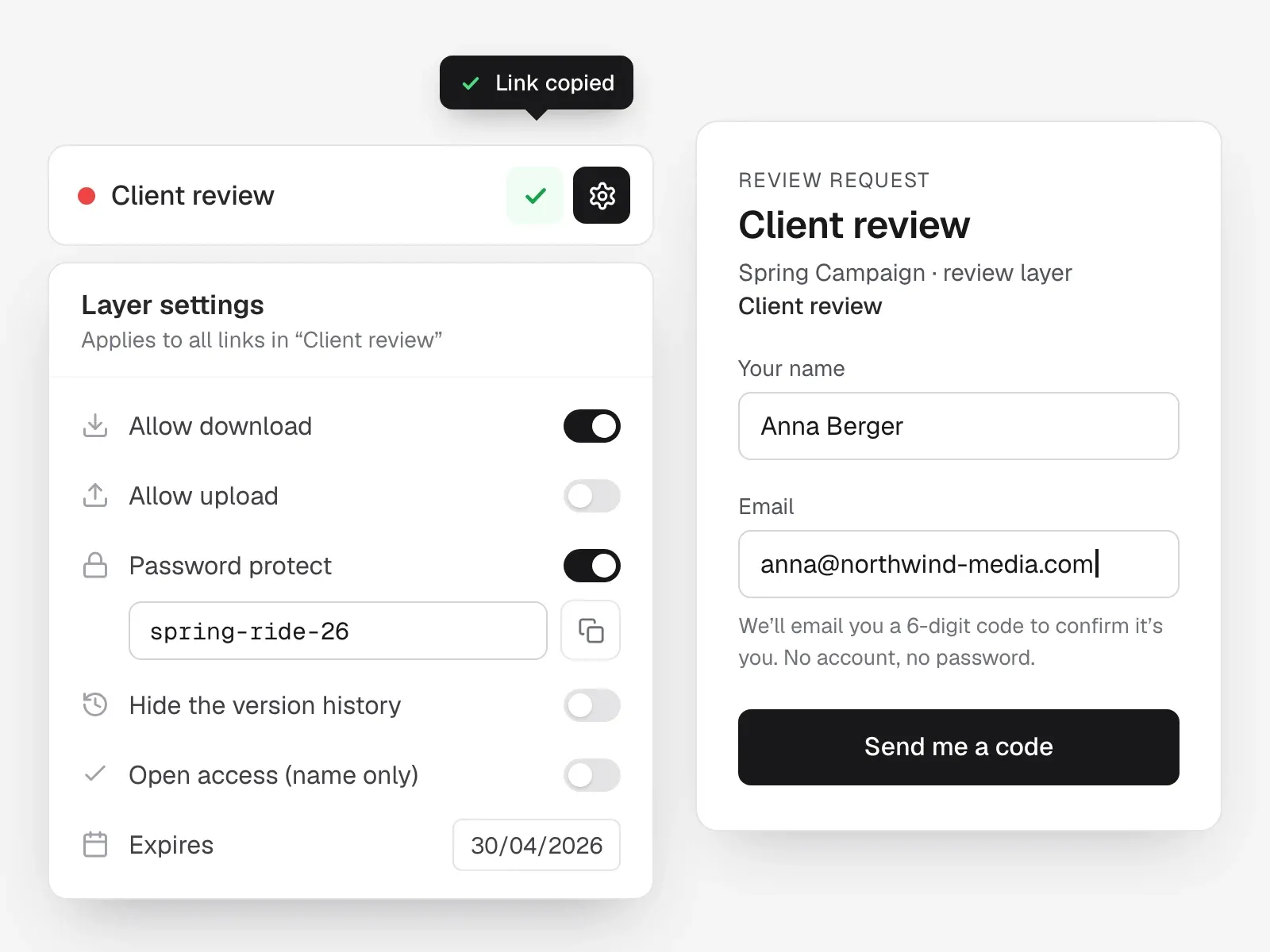
Drop in a video, design, PDF, e-learning package or website address, then copy a review link for your team, the client or legal. Each link has its own settings: download, password, expiry and whether earlier versions are visible.
- Separate links for team, client and legal
- Password, expiry and revoke on every link
- No account, no password for reviewers
Feedback exactly where it belongs.
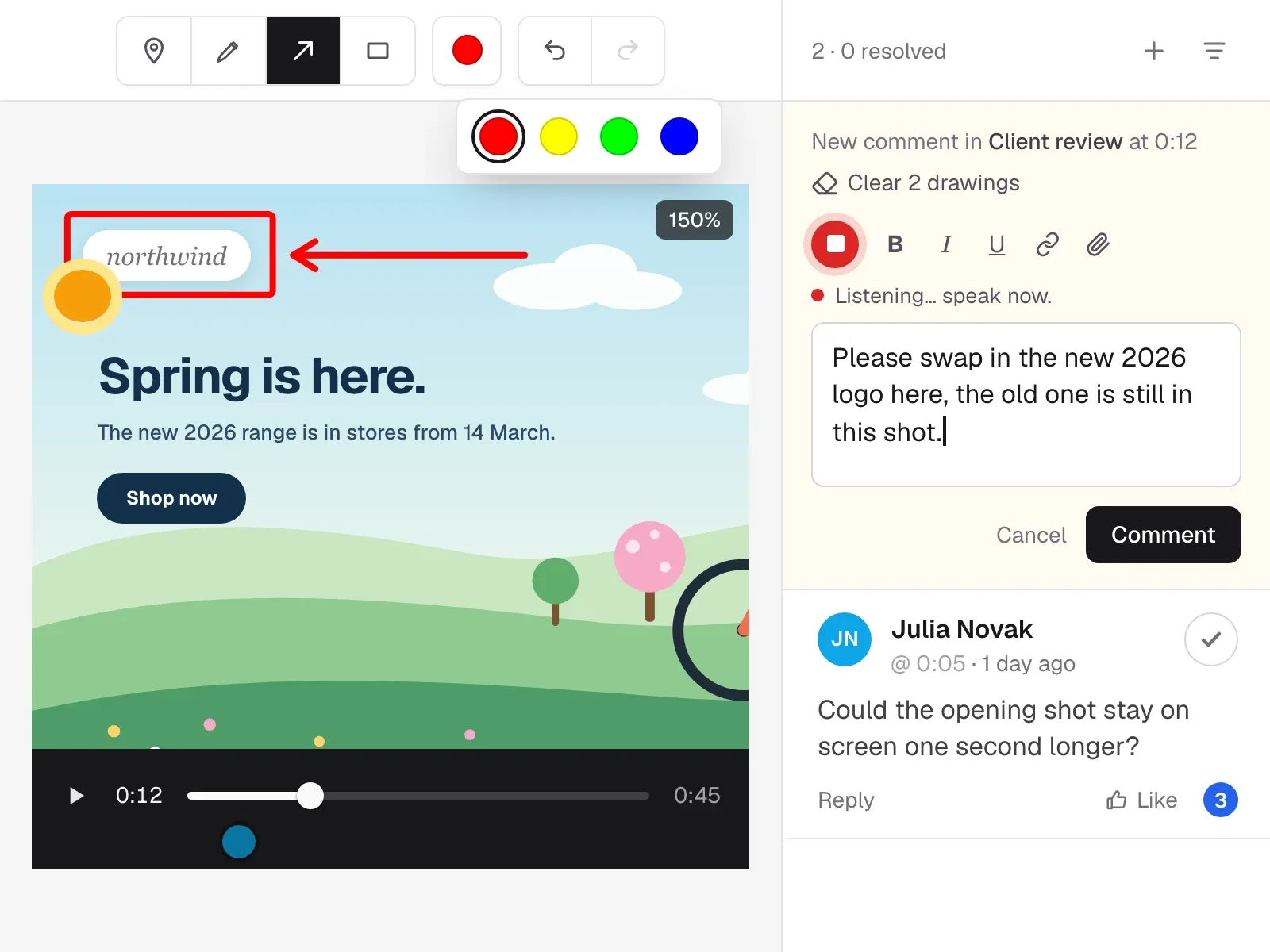
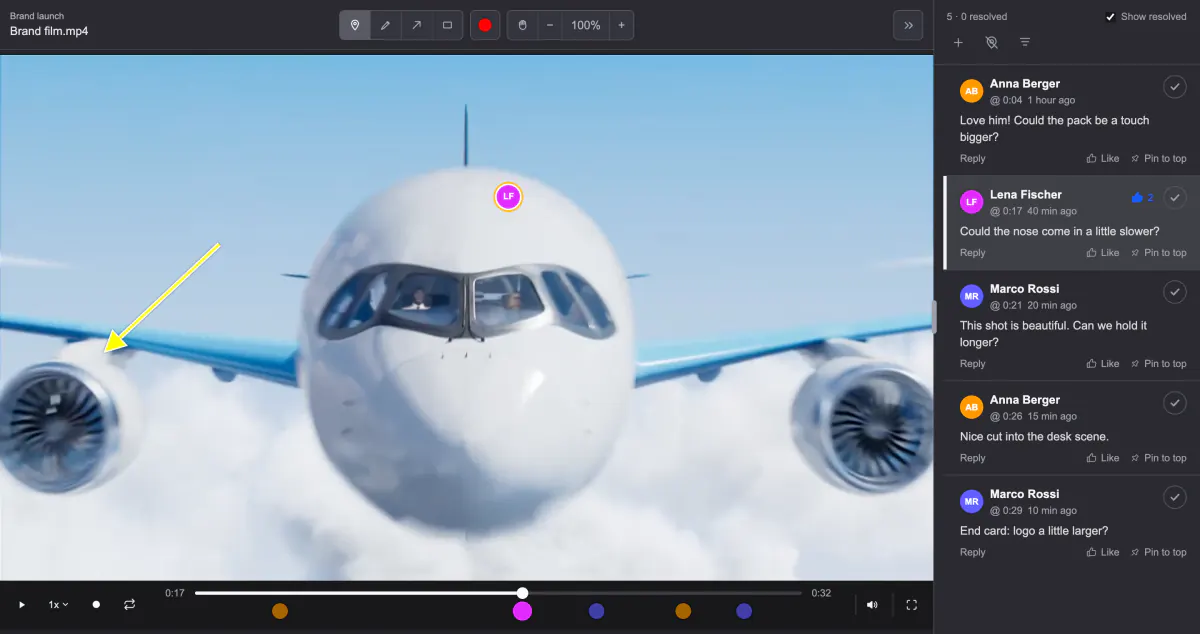
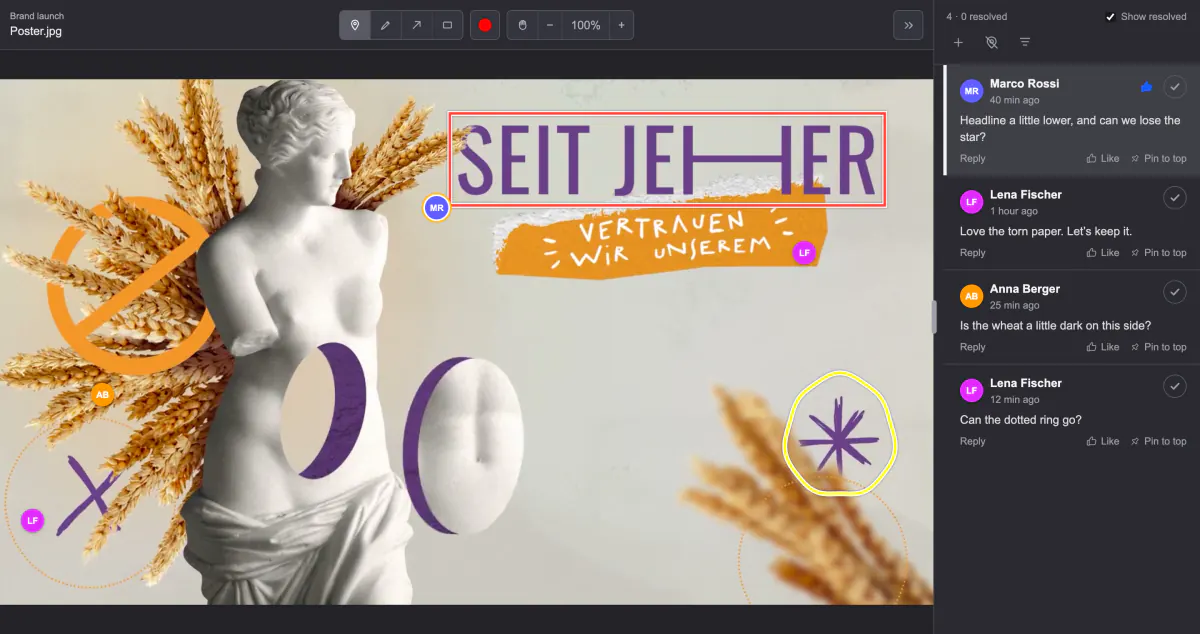
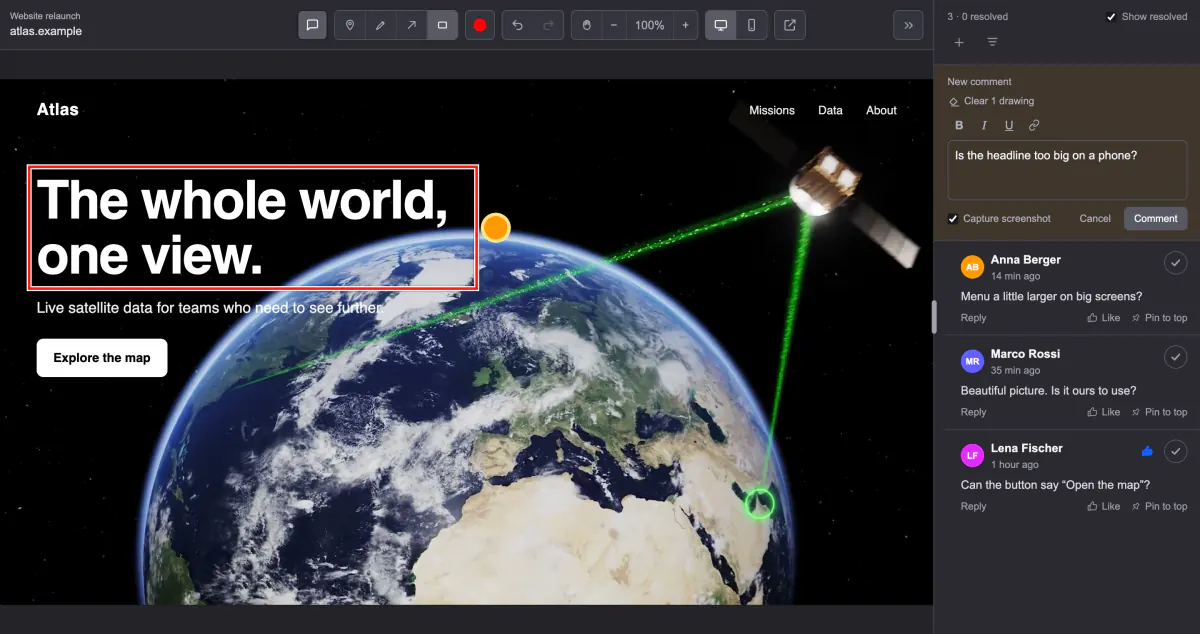
Reviewers drop a pin, draw an arrow or a box, highlight text in a PDF or simply speak their comment and watch it turn into text. Every video comment keeps its timecode and shows up as a dot on the timeline.
- Pins, arrows, boxes and freehand drawing
- Frame-accurate timecodes on video
- Voice comments, transcribed live
Hand the open points to your AI agent.
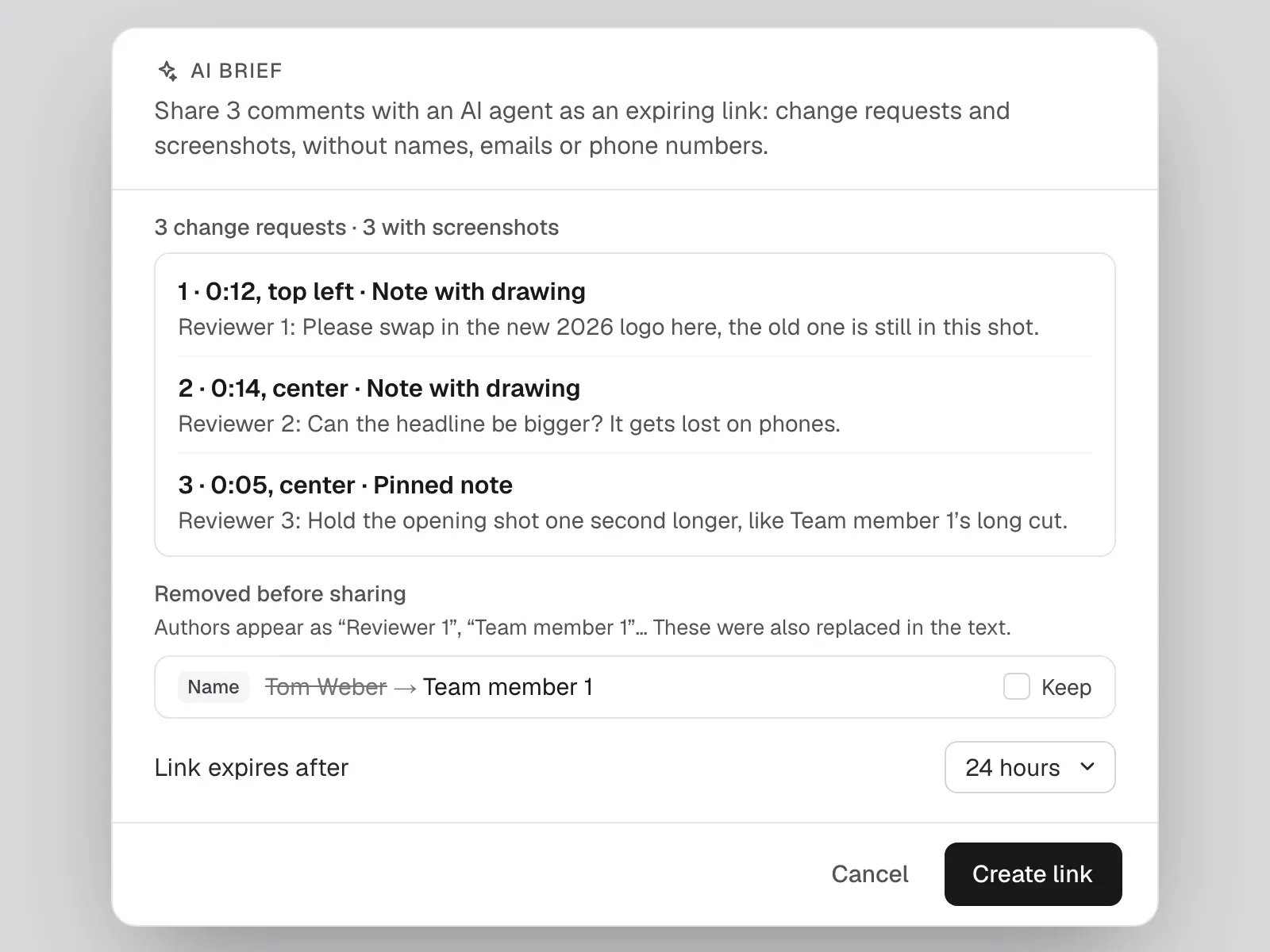
Select the comments that need work and create an AI brief: numbered change requests with location, quoted text and a screenshot, with names, emails and phone numbers removed. Paste the expiring link into your own AI tool and let it apply the changes.
- Numbered change requests with screenshots
- Personal data removed before sharing
- Expiring link you can revoke
Check every change, side by side.
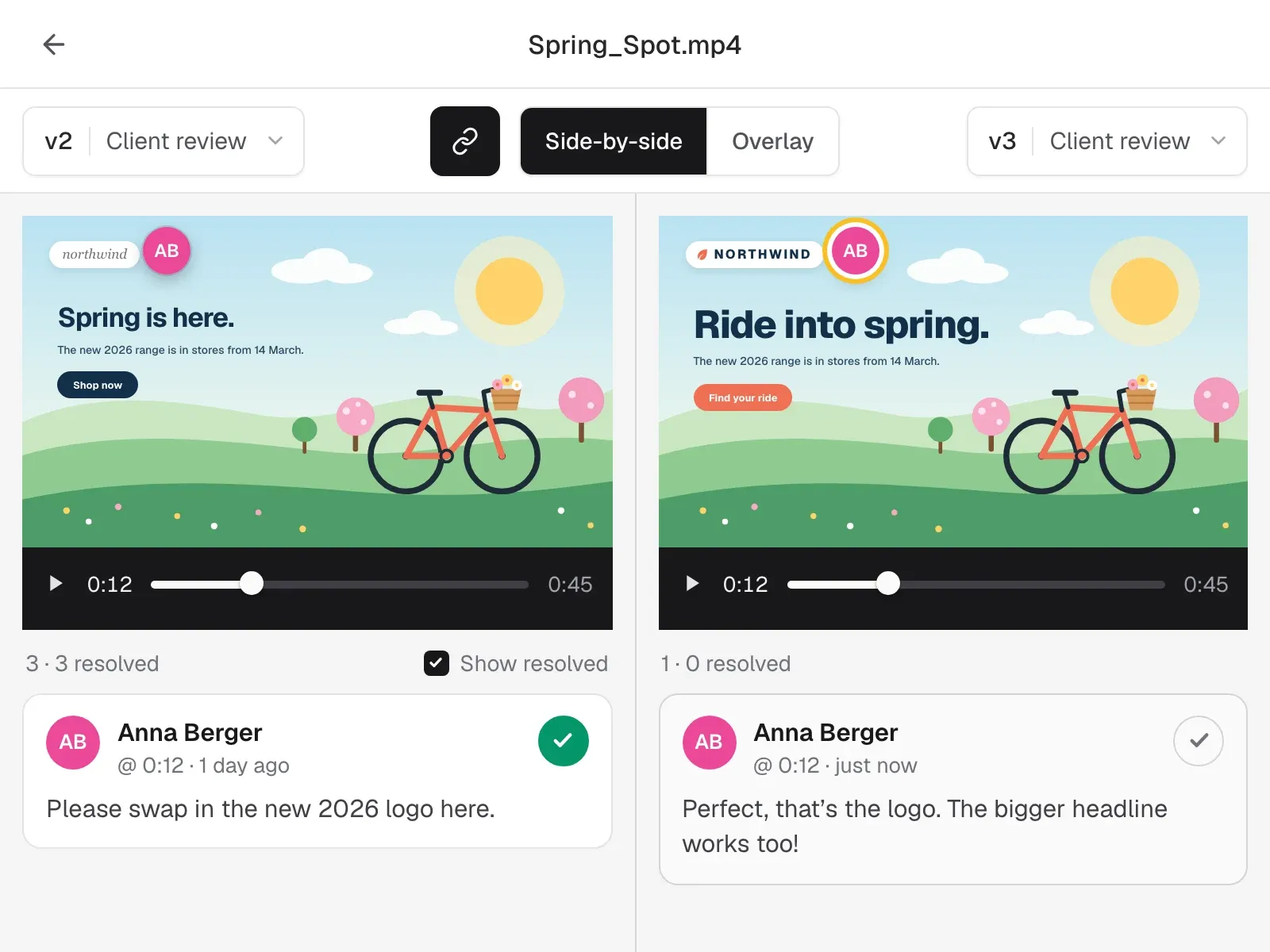
Upload the next version and compare any two side by side or as an overlay with a crossfade. Linked playback moves both halves together, so you see at a glance that every comment was handled.
- Side by side or overlay
- Linked playback, scroll and zoom
- Links stay on the version they were made for
Know where every file stands.
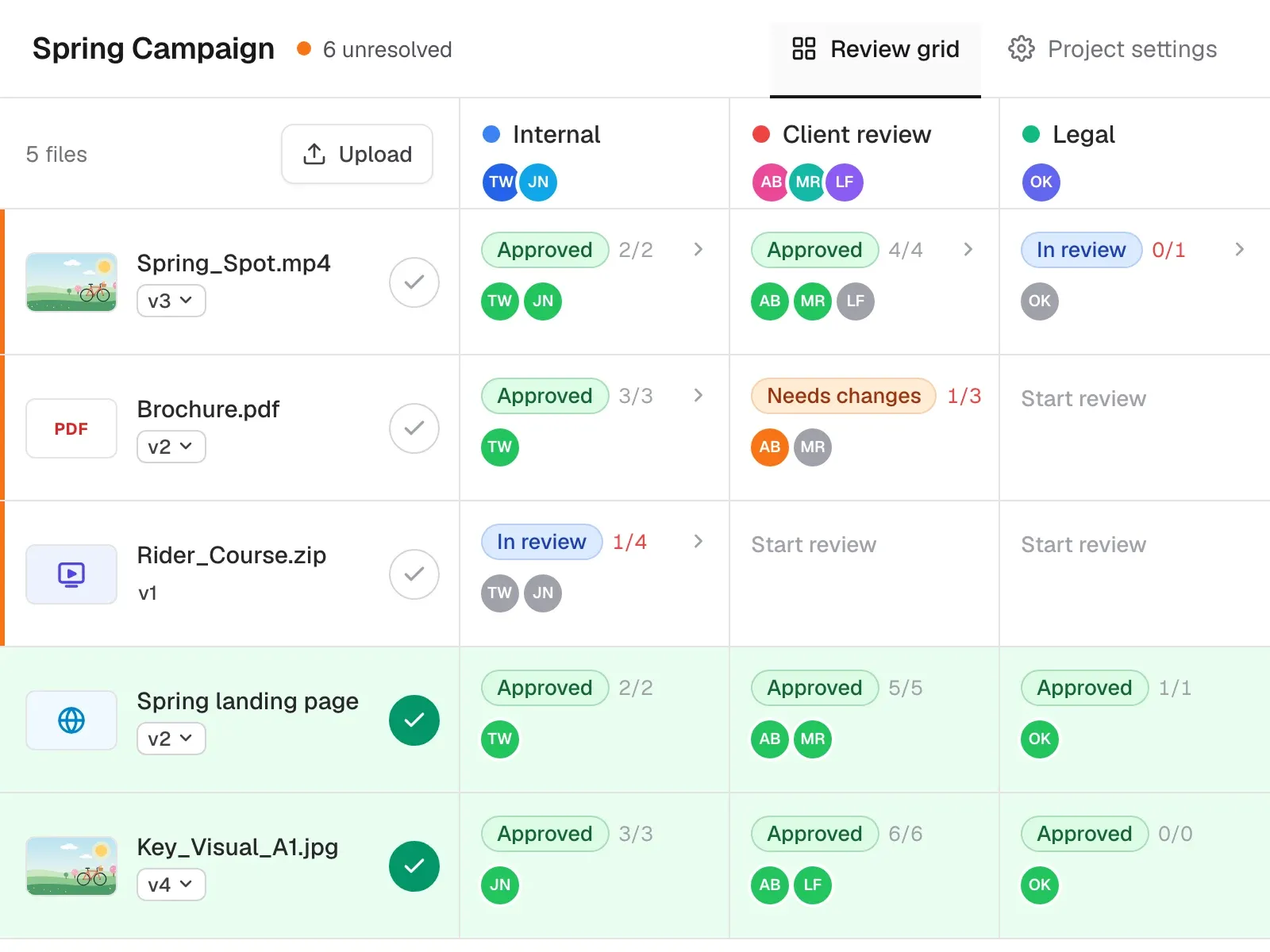
Reviewers set their own status, Needs changes or Approved, and your project managers get an email. The review grid shows every file in every round at a glance, and when all feedback is in, a manager signs off a file, a folder or the whole project with one click.
- Clear verdict per reviewer
- Full overview with the review grid
- Quick sign-off with one click
Every format in one place.
One review flow for everything your team produces, so nobody has to learn a new tool per file type.
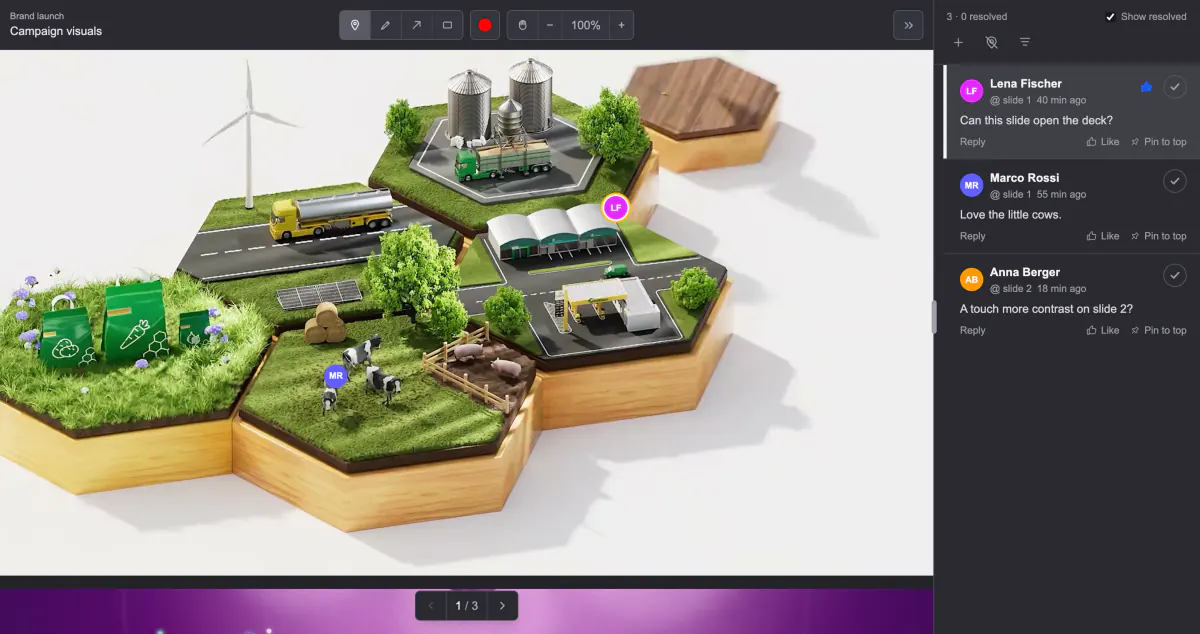
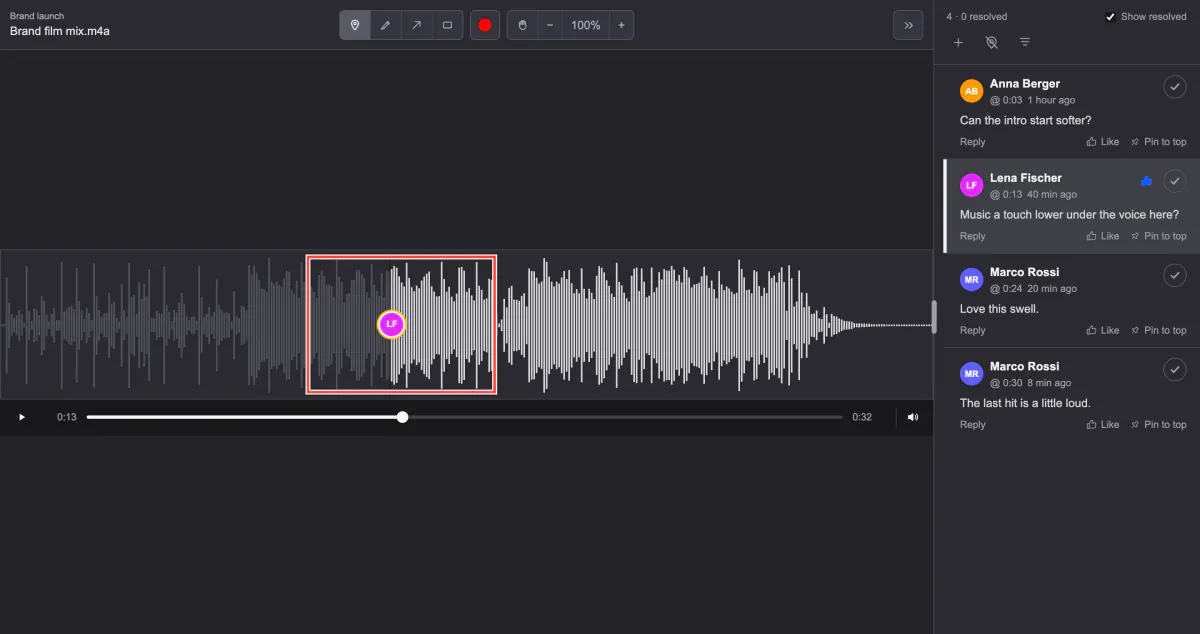
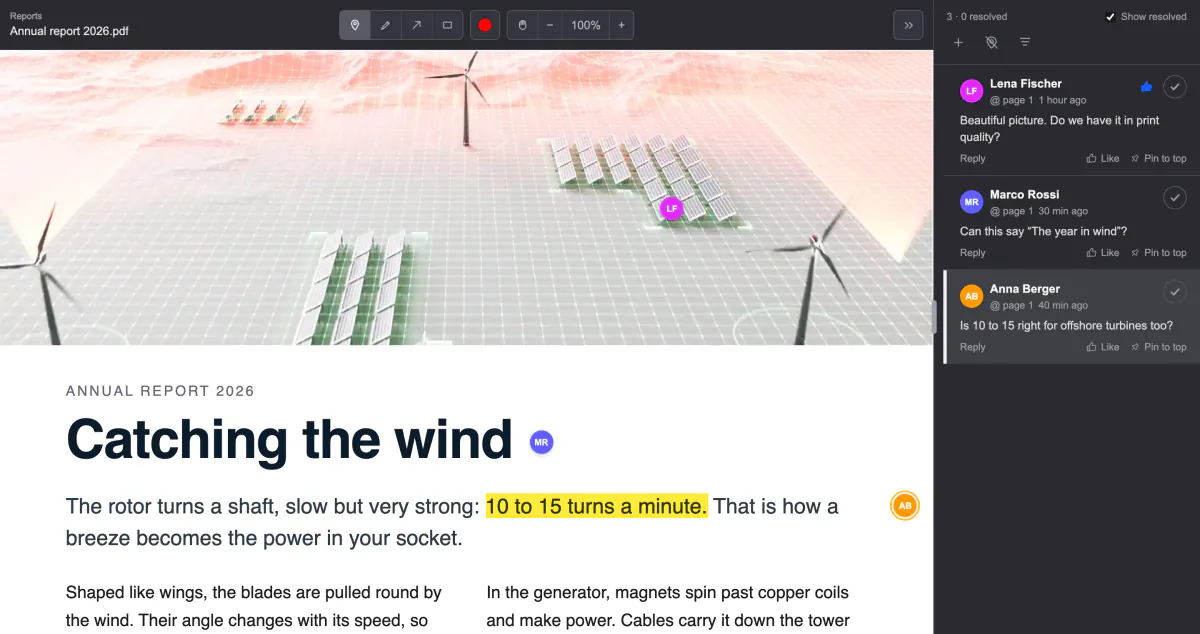
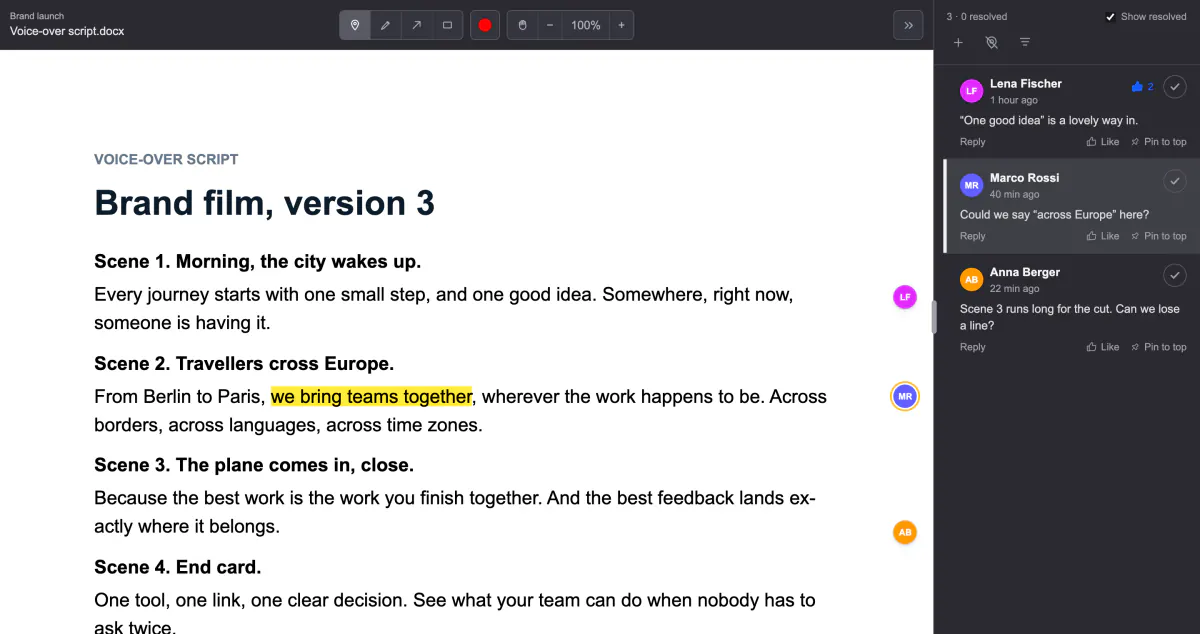
VideoUp to 5 GB, comments on the exact frame
Built by a studio that reviews work with clients every day.
We made Wunderblick for our own video and e-learning productions. Now your team can work the same way, with any kind of media.
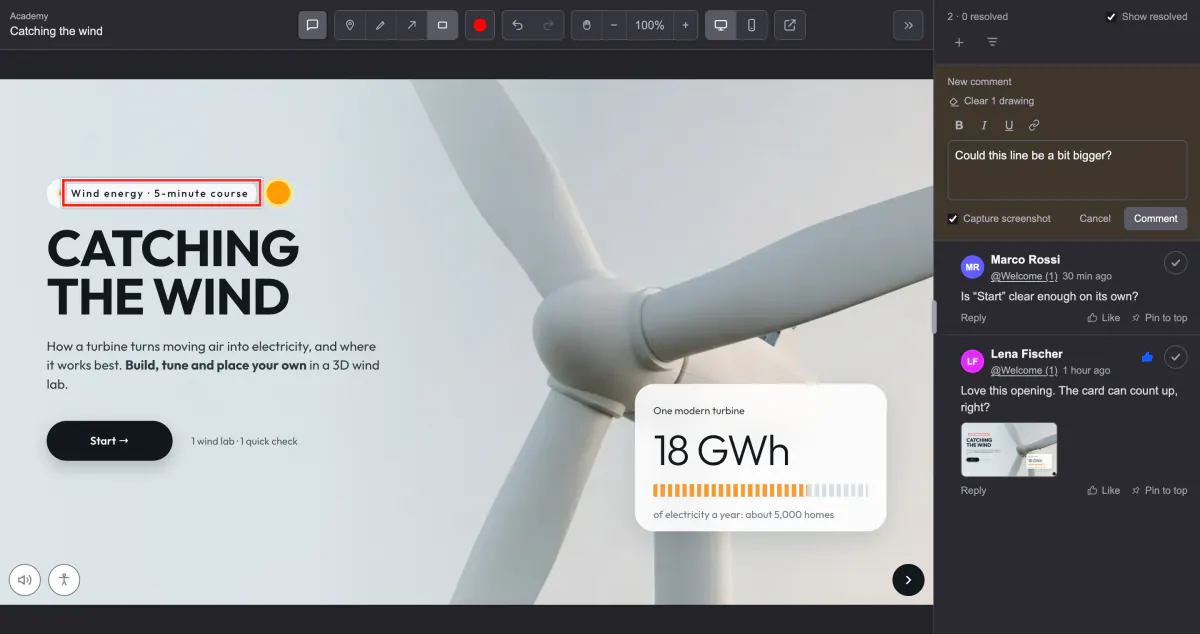
Click to comment
Pins, arrows, rectangles and freehand drawings land exactly where the feedback belongs.
Frame-accurate video review
Every comment keeps its timecode and shows up as a coloured dot on the timeline.
No account for reviewers
Clients join with their name and a 6-digit email code, or with just a name on open links.
Review layers
Separate links and comments for your team, the client and legal, each with its own settings.
Version compare
Side by side or overlaid with a crossfade, with playback linked across both halves.
Clear approvals
Approve, Needs changes and one-click sign-off for a file, a folder or the whole project.
AI brief
Hand open comments to your AI agent as anonymised, numbered change requests with screenshots.
Voice comments and translation
Speak feedback instead of typing it, and translate client comments into your team's language.
File transfer
Send or collect any files through one link. Recipients download everything as a ZIP.
Coming soon: bring your own AI, over MCP
Give your AI a seat in the review.
Today, every comment is a to-do for someone on your team. Soon it’s a job your own AI picks up. Connect Claude, ChatGPT, Cursor or your own agent, and it reads the feedback, makes the changes and reviews the next version, while your team does the work only people can do.


An illustration of how it will work. MCP is not available yet; the AI brief is, and hands open comments to any AI tool today.
It reads the feedback
Every comment with its pin, drawing, timecode and screenshot, on any format. No more pasting feedback into a prompt.
It does the work
It turns open comments into changes in your own tools, uploads the next version and answers each comment with what it did.
It reviews for you
Have it check a new version against the brief, your brand rules or the last round, and pin what it finds right on the work.
You keep the last word
It only reaches the projects you connect, its work carries its own name, and approvals stay with people.
Your work stays yours.
Wunderblick comes from a German company, Mynd GmbH in Frankfurt, and follows European data protection law.
Security and data protectionApp and database in Germany
Hosted with Hetzner in Falkenstein.
Germany-only storage
One switch per project keeps its review files and videos in Germany.
GDPR by contract
A data processing agreement is included, and we have an external data protection officer.
No tracking
No analytics, no advertising cookies and no consent banner, because there is nothing to consent to.
Review links you control
Password, expiry and revoke on every link, plus a 6-digit email code for reviewers.
AI only when you ask
Voice and translation start with a click and your content does not train AI models.
Simple pricing.
Try everything free for 30 days, no card needed. Every plan has every feature, and reviewers are always free.
Starter
€49
a month, or €490 a year with two months free. For small teams and studios.
- 5 team members
- 250 GB of storage
- Unlimited projects
- Unlimited reviewers and review layers
Pro
€99
a month, or €990 a year with two months free. For agencies and teams with regular reviews.
- 10 team members
- 1 TB of storage
- Unlimited projects
- Unlimited reviewers and review layers
- Add 5 team members for €29 or 250 GB for €20 a month
Enterprise
Custom
From €490 a month, on a yearly invoice.
- Unlimited team members
- Storage to fit, 5 TB and more
- Several workspaces
- Priority support and custom terms
- Security assessment, setup and training
Wunderblick is for businesses. Prices exclude VAT. After the trial a small free plan stays: 1 project, 2 GB, 2 team members. Questions? Talk to us.
Questions, answered.
Can I try it before signing up?
Yes, right at the top of this page. That is the real review screen, running on a real video and a real e-learning course. Pin, draw and comment as much as you like. Whatever you write stays in your browser tab and disappears when you close it.
Do my clients need an account?
No. They open your review link, enter their name and email and type the 6-digit code we send them. On open-access links a name is enough; those reviewers can comment but need to verify their email before they can approve.
Which files can I review?
Video, images, audio, PDF, Word documents, image slideshows, zipped e-learning courses (Articulate Storyline, Rise, Captivate or any HTML or SCORM package) and live websites. Upload files or add them by link from Dropbox, Box or Google Drive. Videos can be up to 5 GB.
Can I review an e-learning course or a website?
Yes. A Storyline, Rise or other HTML package runs as the real course: switch on comment mode to pin and draw on the current slide, and a screenshot of that slide is saved with the comment. A website opens live inside the review view and each comment records the page and a screenshot. Both can be reviewed in desktop or mobile layout.
How do versions work?
Upload a new version on any file and it becomes v2, v3 and so on. Links stay on the version they were made for, reviewers can look back at earlier versions if you allow it, and you can compare any two versions side by side or as an overlay.
What is the AI brief?
It turns the comments you select into numbered change requests with screenshots, locations and quoted text, removes names, emails and phone numbers, and gives you an expiring link plus a ready-made prompt. Paste it into your own AI tool together with the source file, and the agent applies the changes. You can revoke the link at any time.
Can I connect my own AI?
Soon. We are building an MCP server for Wunderblick. MCP, the Model Context Protocol, is the open standard AI tools use to work with other software, so Claude, ChatGPT, Cursor or your own agent will be able to read comments, make changes, upload versions and review work, within the access you give them. Until then, the AI brief hands open comments to any AI tool.
Can the team discuss things the client should not see?
Yes. Mark a comment or reply as internal: it is tinted amber for your team and never shown to external reviewers. You can also run separate review layers, for example internal, client and legal, on the same file.
How do I know when a client has approved?
The reviewer clicks Approve or Needs changes, your project managers get an email, and the review grid shows the status of every file in every review layer. If a reviewer only comments, the managers get a summary email an hour later.
Where is my data stored?
The app and database run in Germany. Files are stored in the EU by default, and video playback uses a worldwide network. Switch on Store in Germany for a project and its files and videos stay in Germany. The security page lists everything in detail.
See Wunderblick with your own work.
Start right away, or tell us what your team reviews and we will help you set up your first project.